The central government launched the Digilocker portal registration and login facility at digilocker.gov.in, alongside the Digital Locker mobile app, in July 2015. The primary purpose of this platform is to provide a secure space for storing digital documents. This initiative is a key component of the "Digital India" campaign.
The main goal of the Digilocker scheme is to reduce the hassle associated with managing physical paperwork. It allows users to share verified electronic documents with various government departments seamlessly. There is no longer a need to carry physical files from one location to another. Each user is provided with a dedicated account to store all their important documents safely in a digital locker.
The Digilocker app is available for download on Android devices via the Google Play Store and can also be accessed directly through a web browser on your computer or laptop. Users can save all their essential files in e-document format within the application.
Digilocker Portal Registration / Login at digilocker.gov.in
The advantage of the Digilocker portal is that it provides 24/7 access to your documents from anywhere. You no longer need to keep physical files in your bag or stored away in your home or office. It simplifies the process of receiving and sending documents, ultimately saving you time and effort. You can utilize this application for:
- Digitally signing documents
- Sharing documents online for verification
- Accessing your files anytime and anywhere
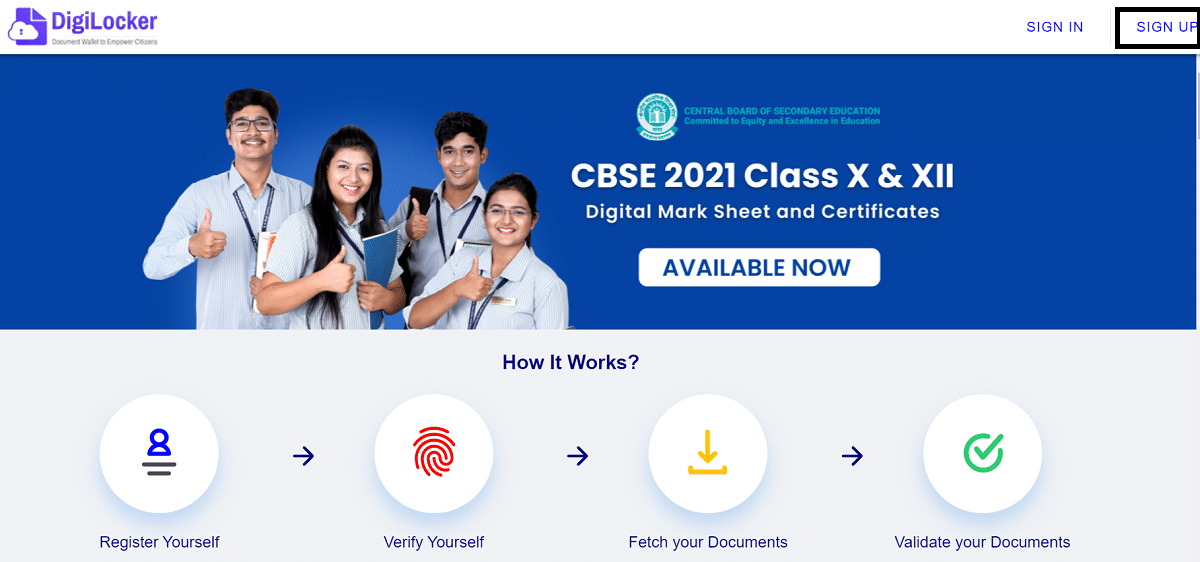
Digilocker - How it Works
- Create your account
- Verify your identity
- Retrieve your documents
- Validate your saved documents
Digilocker Registration / Login Process
STEP 1: Start by visiting the official website at https://www.digilocker.gov.in/dashboard
STEP 2: On the homepage, select the "Sign Up" option found in the main menu as shown below:-
 Tags:
Sarkari Yojana List
Tags:
Sarkari Yojana List