The Avsar App is available for download on the Google Play Store for all Android smartphone users. The Haryana state government has mandated that online learning will continue even after schools reopen. For examination purposes, students can now complete their assessments and tests digitally using the AVSAR mobile application.
Haryana Avsar App Download
The Chief Minister’s Office (CMO) announced this policy as part of a broader strategy to enhance educational standards across state schools. Instruction will proceed via the EDUSAT online platform. Regarding evaluations, students from classes 1 through 8 will take their assessments using the Avsar mobile app. This guide explains the steps to download the application from the Google Play Store.
How to Install Avsar Mobile App from Google Play Store
Android smartphone users can access the official download link here to install the Avsar Mobile App: https://play.google.com/store/apps/details?id=com.avsar.app&hl=en_IN&gl=US
The Google Play Store page for the Avsar app appears as shown below:
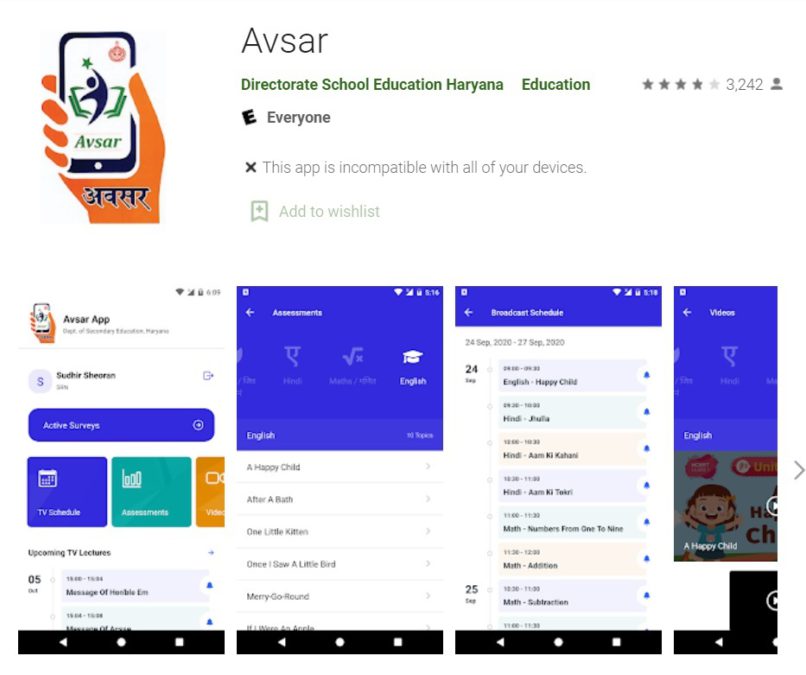
Simply click the "Install" button to begin the automatic installation of the Avsar App on your mobile device.
Key Features of the Avsar Android App
The Avsar App provides students with curriculum-aligned educational content directly on their mobile devices. Key features include:
- Student Assessments
- Surveys
- Digital Learning Resources
- Video Lessons by Educators
- EduSat Lecture Timetables
- Latest Educational Updates
All materials are organized by subject and class level for improved accessibility.