You can verify your Tamil Nadu online sand booking status by visiting the official TNSAND portal at www.tnsand.in. The state government of Tamil Nadu requires all sand orders to be booked online via the dedicated TNSAND website or the official mobile application.
In addition to checking your sand booking status, the portal allows users to register vehicles, place new sand orders, update existing requests, request refunds, monitor payment status, and view the comprehensive list of registered transport vehicles.
Follow the simple guide provided below to track your sand booking status on the TNSAND website.
View Tamil Nadu Sand Booking Status at tnsand.in
STEP 1: Navigate to the official TNSAND web portal at www.tnsand.in
STEP 2: Locate and click the "General People" or "பொது மக்கள்" button found at the top right corner of the homepage.
STEP 3: On the subsequent page, select the "Booking Status" link located on the left-hand sidebar, as indicated in the image below.
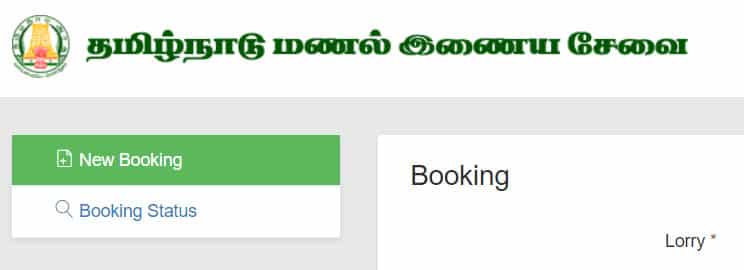
Use the direct link below to check your current Tamil Nadu sand booking progress
https://www.tnsand.in/Guest/BookingStatus
STEP 4: Input your unique booking reference number or your vehicle registration number, then press the search button as shown in the screenshot below. Your current booking status will be displayed immediately.

Online sand procurement in Tamil Nadu has been mandatory since July 1, 2017, and must be processed through the official website at www.tnsand.in. Lorry operators may also use this platform for their registrations.