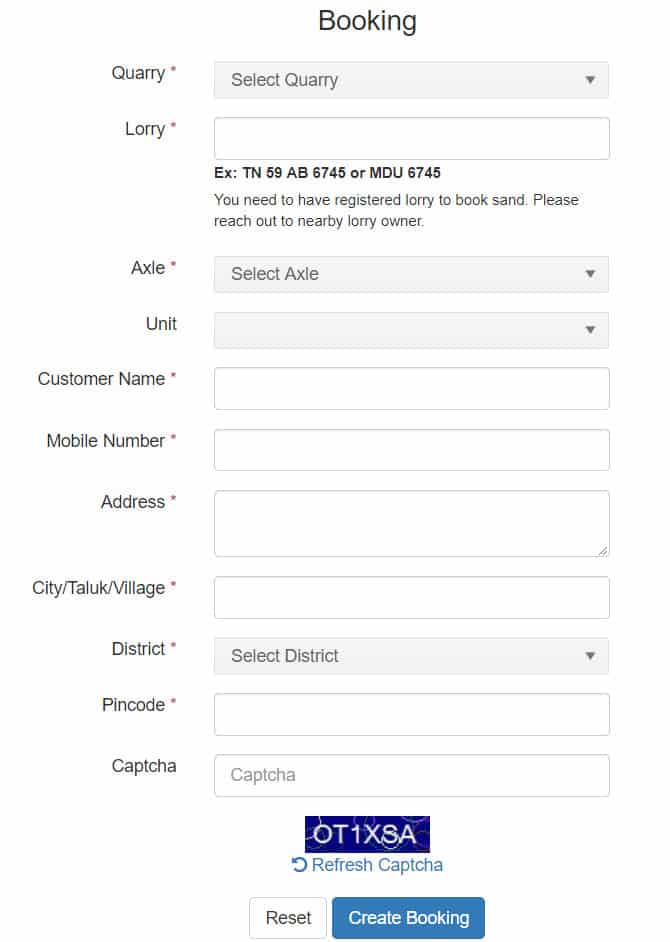
Registration for online sand procurement and TNSAND vehicle enrollment is currently accessible via www.tnsand.in. Interested users can access the official TNSAND portal at www.tnsand.in or utilize the TNSAND mobile application to manage sand bookings or register vehicles within Tamil Nadu. The Tamil Nadu administration made online sand reservations and acquisitions mandatory effective July 1, 2017.
To ensure transparency in the sand trade, the government introduced the TNSAND mobile app and web portal at www.tnsand.in. Users can now monitor their tnsand online booking status, verify payments, track refund requests, and view the registry of authorized vehicles on the official platform.
TNSAND Vehicle Registration at www.tnsand.in
If you own a vehicle, you may sign up as an owner on www.tnsand.in by following the steps outlined below.
STEP 1: Navigate to the main page of the portal at https://www.tnsand.in/Home/Home
STEP 2: Select the vehicle registration for sand option labeled "வாகன பதிவு" found on the homepage.
STEP 3: Complete the digital application form provided on the subsequent page.
STEP 4: Once all required information is entered, select the Register button.
STEP 5: After successful registration, use the Sign In "உள்நுழை" button on the homepage to access your account and verify your details.
Tamil Nadu Online Sand Booking at www.tnsand.in
Follow the instructions below to reserve sand online in Tamil Nadu via the www.tnsand.in portal.
STEP 1: Access the official Tamil Nadu Sand website at www.tnsand.in
STEP 2: Click the General People "பொது மக்கள்" icon located on the top right side of the main page.
STEP 3: An application form will appear; fill in all necessary details and click the "Create Booking" button located at the base of the form.